Patients who arrive ready to book
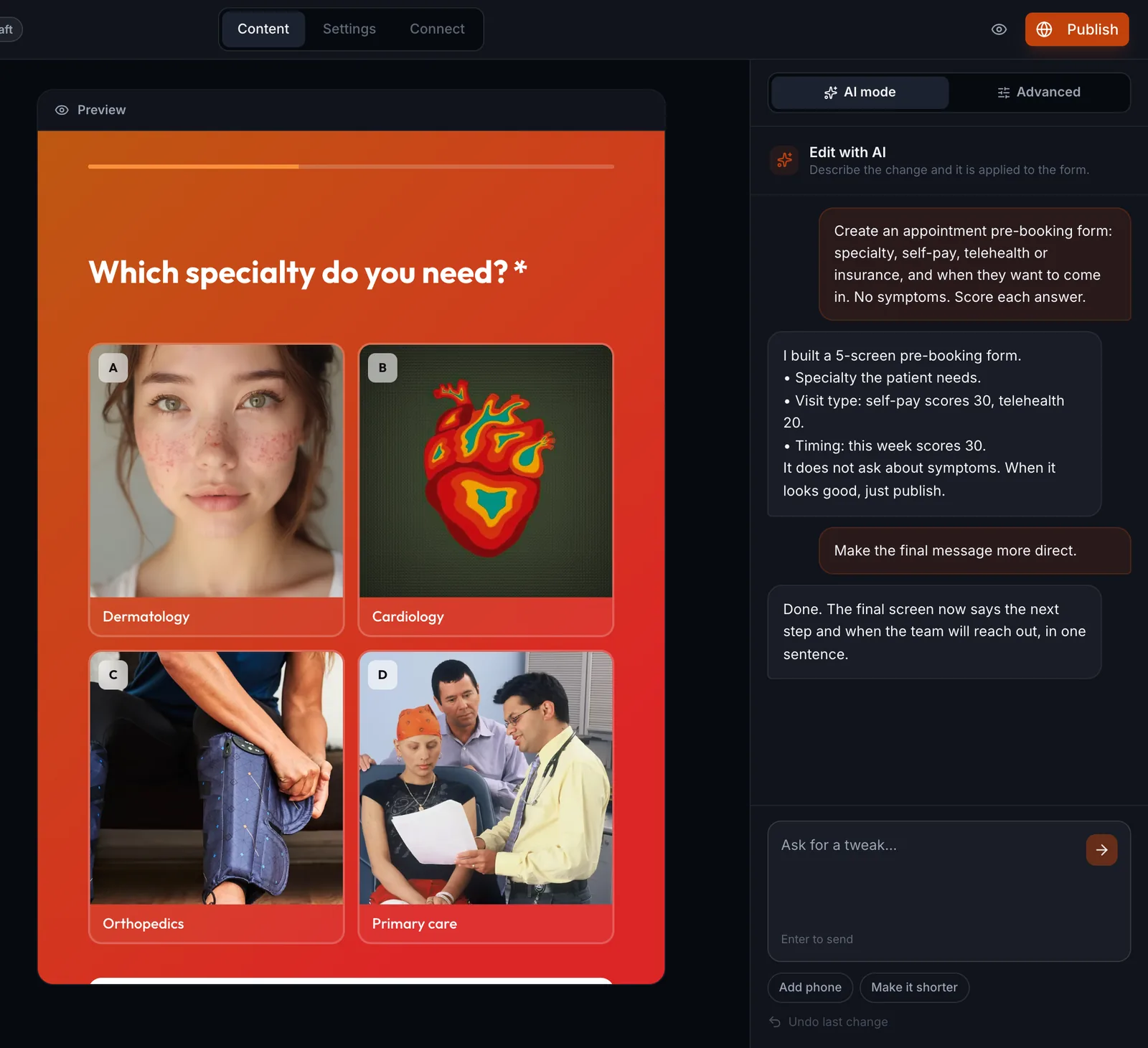
Build your practice booking form with AI: specialty, insurance or self-pay, location and best time. Every answer scores points, so your staff starts the day with the patients who will book.

Julia
78of 100
- Self-pay
- Wants a visit in the next 2 weeks
- Prefers Tuesday afternoon
Sent to the front office sheet

“We moved our lead forms to FoxForm and stopped losing people halfway through.”
Your staff calls the people who will book
The patient answers on their phone in under a minute. Self-pay visits with a clear time go to the top. People with a plan you do not accept get the guidance on screen, without tying up your phone line.
- 1
Ask what defines the booking
Specialty or procedure, insurance or self-pay, location and best time. The path changes with each answer.
- 2
Every answer scores points
Self-pay and near dates score higher. Your staff opens the list and calls the patients who are ready first.
- 3
The last screen routes the patient
Ready patients see the link to pick a time. People with a plan you do not accept get the guidance right there.
- 4
Symptoms and history stay in the visit
The lead form asks about interest and scheduling. Health information is sensitive and belongs in the patient record, not in a lead sheet.
The forms your practice uses every week
Each one is ready in a click: the AI writes the questions, sets up the scoring and publishes the page. Then you tweak whatever you want.
Appointment pre-booking
Specialty, insurance or self-pay, location and best time, before your staff calls.
Create with AISelf-pay procedure interest
Procedure of interest, budget range and timeline, for the elective services you offer.
Create with AIInsurance check
The patient enters their plan before booking, and the last screen says right away if you accept it.
Create with AIPatient satisfaction survey
A 0 to 10 score after the visit, with an open question only for low scores.
Create with AI

The day list comes already sorted
Every contact arrives with the specialty, the type of visit and a score. Your staff calls the people who will book first, and the doctor does not lose slots to people who only wanted information.
One link for Instagram, your site and ads: the same form goes anywhere. It loads fast on mobile because it is published as a static page.
Sheets, Slack or your practice system: each response goes to a Google Sheet, a Slack channel or your practice software by webhook, Zapier or Make.
Practices with several doctors: the first question can be the specialty, and up to 10 team members follow responses on Pro and Premium.
No per-response fees: 10,000 leads a month on the entry plan.
Connects with
- Google Sheets
- Slack
- Zapier
- Make

From a lead capture form to your CRM, already scored
The same online form builder covers an online application form, a client intake form, a quiz and a survey. Connect FoxForm to Claude, Codex or whichever assistant your team already opens, and every answer travels to Zapier, Make or your own system the moment it is submitted.
- It does not stop at building the form: the same conversation edits it, publishes it, takes it down, reads the answers and reports performance, without you opening the dashboard.
- Leads arrive already ranked: the score builds while the person answers, and the AI tells you who is worth a call today.
- Fires a webhook instantly: every answer travels to Zapier, Make, your CRM or your own system, with nobody copying and pasting.
Pick the plan that matches your volume
Every plan captures leads. What changes is volume, seats and caps.
Pro
For a first funnel that needs to actually convert
✓ $54/year, 50% OFF
Includes:
- 10,000 leads/mo ($2 per extra 1k)
- Up to 10 users
- Unlimited analytics
- No ads
- Priority support
Premium
For teams running more than one campaign at a time
✓ $108/year, 53% OFF
Includes:
- 20,000 leads/mo ($2 per extra 1k)
- Up to 10 users
- Unlimited analytics
- No ads
- Priority support
Unlimited
For high volume, with no overage bill at the end of the month
✓ $216/year, 54% OFF
Includes:
- Unlimited leads, no cap
- Unlimited users
- No overage bills, ever
- No ads
- Priority support
Start getting better leads today
Build the form, publish the link, and see who is worth a call from the very first answer.
Questions people ask
Can I ask about symptoms in the form?
We recommend you do not. The lead form is for interest and scheduling. In the US, patient health information falls under HIPAA, which has its own requirements, so symptoms and history belong in the patient record system you already use.
Does it work for multi-specialty practices?
Yes. The first question can be the specialty, and the path changes with each answer. Up to 10 team members see responses on Pro and Premium, and unlimited on Unlimited.
Can I use the form in ads?
Yes. The form is a link for the ad button, your bio or a text. Keep your medical board and advertising rules in mind: the page and the form should not promise outcomes.
Do responses reach my practice software?
Yes, by webhook to any system that accepts one, and through Zapier or Make for those that do not. You can also send each response to a Google Sheet or a Slack channel.
Do I need to know how to build forms?
No. Describe what you want in a sentence and the AI writes the questions, sets up the scoring and publishes. You only adjust the wording if you want to.
FoxForm for your profession
Lead qualification built around how each profession sells.